
In the Credits section, you can consult the information on credits used in the last 28 days and credits from the last 12 months.
In addition, you can access the statement of credits from the last 28 days, where the data type, transaction description, and credits used will be listed.
On this page:
-
Credits from the last 28 days
-
Credits Statement from the Last 28 Days
-
-
Credits from the last 12 months
Before you start, you need…
-
Be an administrator user or have permission to perform the following actions.
-
Have one or more subaccounts registered with Guru.
Credits from the last 28 days
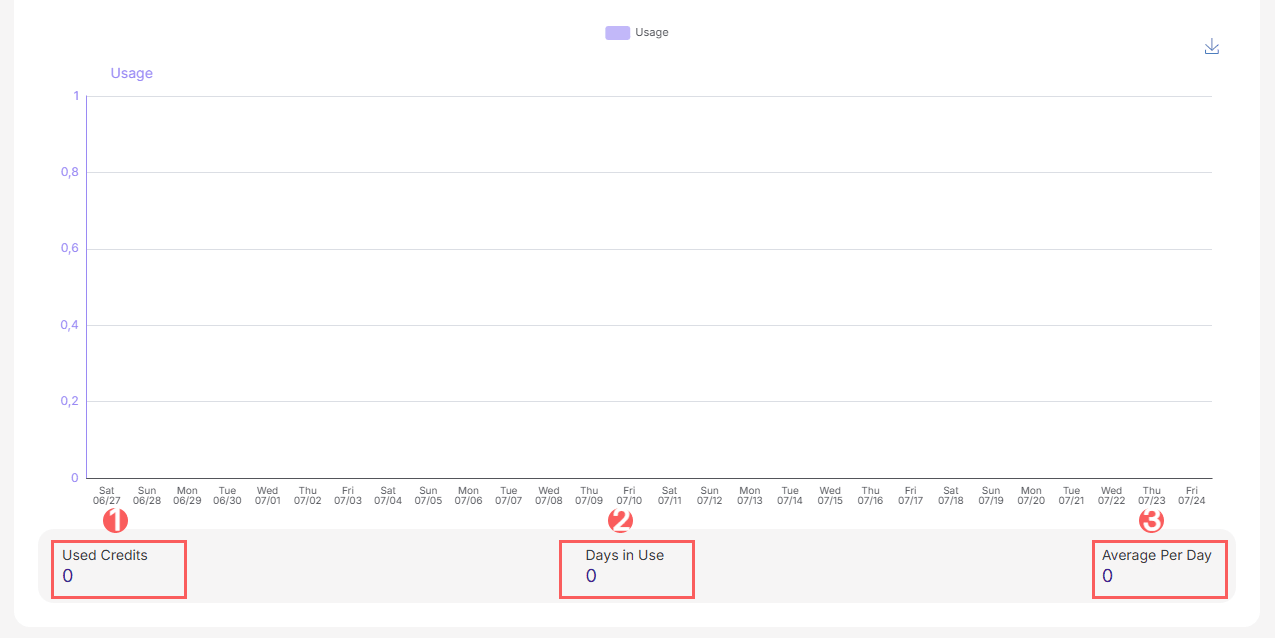
You can track the credits used in the last 28 days, where you can monitor the credits used, days of use, and the average credits used per day for each subaccount.
Steps:
1 - Access the subaccount - the subaccount registration will be displayed.
2 - Click on the Credits tab.
3 - Then, click on the last 28 days tab.
4 - In last 28 days , view the following information:
-
Used credits: the credits used in the last 28 days;
-
Days in use: last X days of credit usage;
-
Average per day: average credits used per day.
Credits Statement from the Last 28 Days
You can track the statement of credits used in the last 28 days.
1 - Access the subaccount - the subaccount registration will be displayed.
2 - Click on the Credits tab.
3 - Then, click on the last 28 days tab.
4 - In Last 28 days Statement , the list displays the following information:
-
Created on: credit usage date;
-
Type: credit operation type;
-
Description: detailed description of the operation;
-
Credits: the credits used in the last 28 days.

Credits from the last 12 months
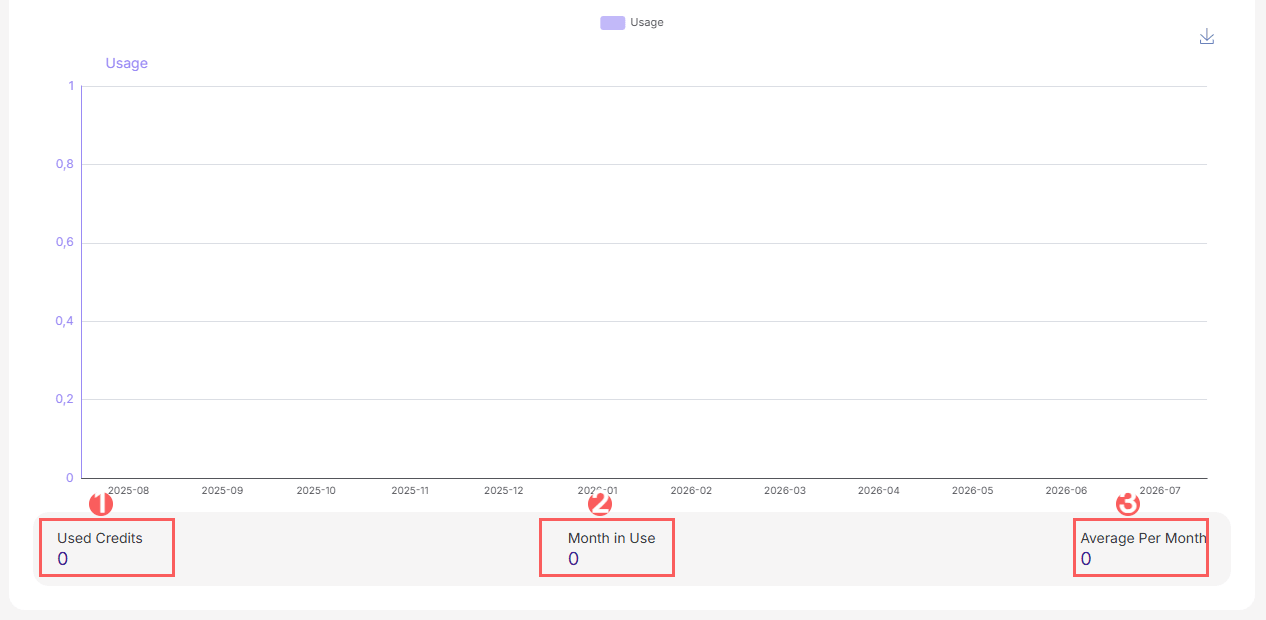
You can track the credits used in the last 12 months, where you can monitor the credits used, months of use, and the average credits used per month for each subaccount.
Steps:
1 - Access the subaccount - the subaccount registration will be displayed.
2 - Click on the Credits tab.
3 - Then, click on the last 12 months tab.
4 - In last 12 months , view the following information:
-
Used credits: the credits used in the last 12 months - throughout your entire subscription;
-
Month in use: months of credit usage;
-
Average per month: average credits used per month.
More Resources