At Guru, you have access to flexible plans according to your business, being able to scale your earnings without reducing your profits.
Within these plans, you have credits that will be used in transactions that will generate sales, such as: approved, abandoned, canceled. Thus, all generated transactions consume 1 credit from your account, with the debit made at the creation of the transaction and not at its processing.
For those who work with subscriptions, renewals are also accounted for as credits. Subscription renewals are scheduled 3 days before the renewal date.
You can consult the renewals contemplated as credits by accessing "Subscriptions", applying the filter “next cycle in” and entering the date.
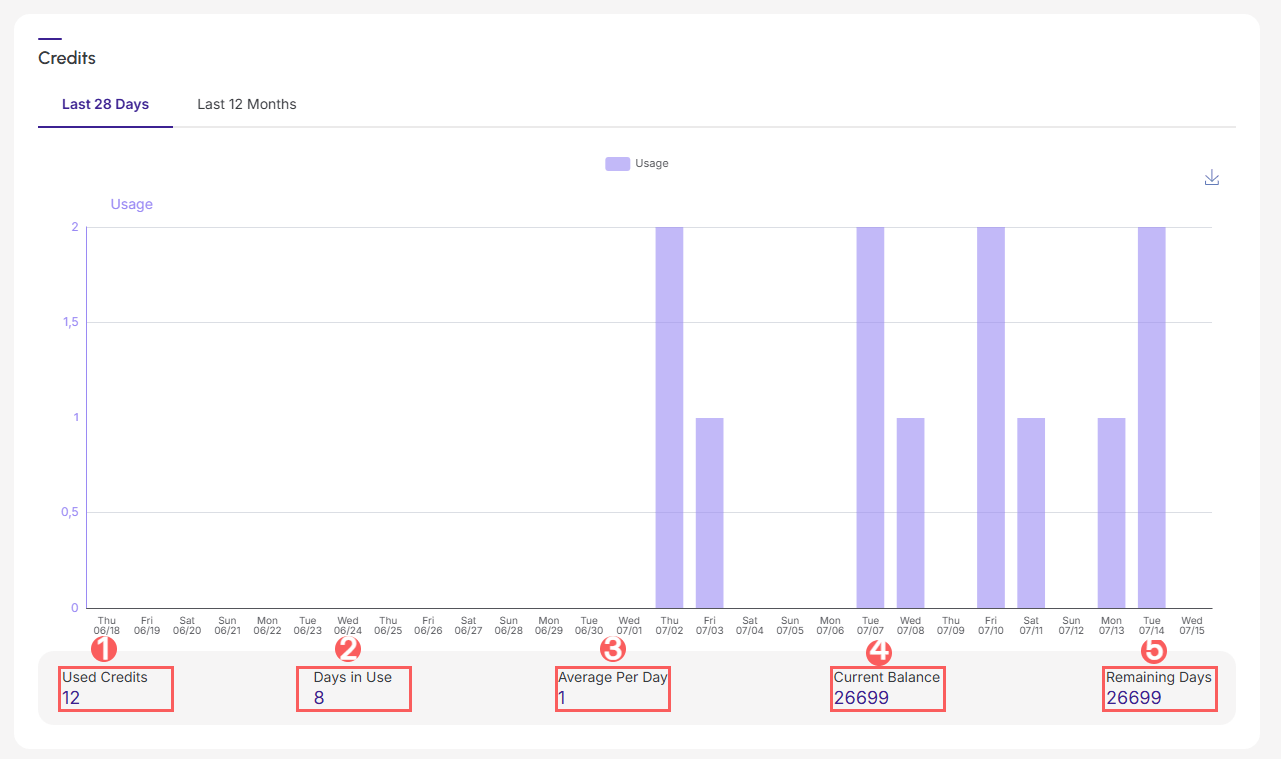
In My Account, you can track the credits you used daily over the last 28 days and the credits used throughout your entire period of using Guru, graphically viewing all this data.
With this feature, you can identify the most suitable monthly and/or annual plan for your Guru usage volume, based on the daily average of credits used.
Information about your plan's credits will be displayed when they exceed 80% of the month's usage.

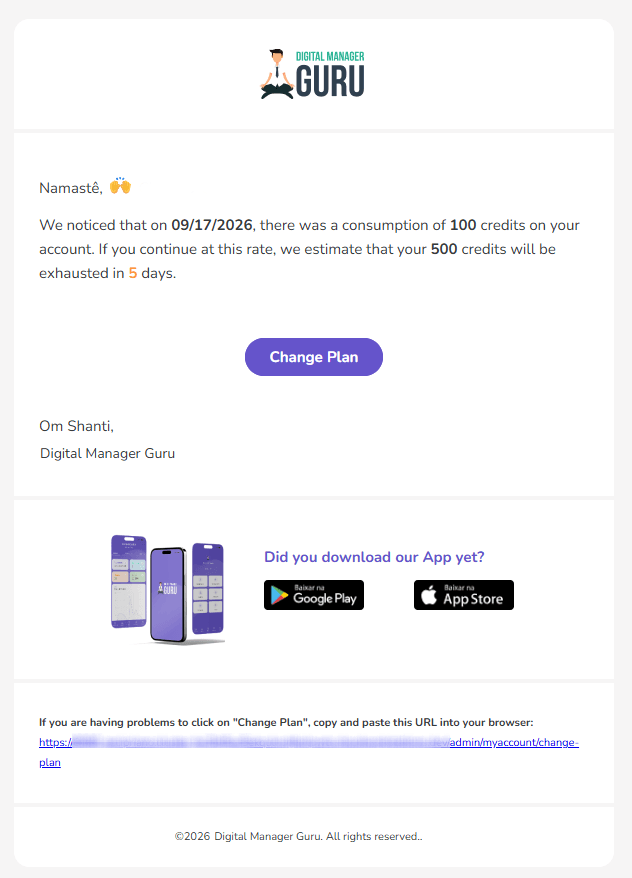
The Guru will send transactional emails informing about credit consumption.
Learn more about Guru's plans at: How do plans work in Digital Manager Guru?
On this Page:
-
Consult credits used in the last 28 days
-
Credit Statement for the Last 28 Days
-
-
Consult credits used in the last 12 months
-
Transactional emails about credits used
Consult credits used in the last 28 days
In this section, you can track the credits used in the last 28 days.
Steps:
1 - Access guru's admin with your username and password.
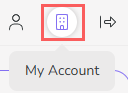
2 - In the top right menu, click My Account.
3 - In My Account, click on Credits.

4 - Then, you will be able to view the Credits Used in the last 28 days.
-
Credits used in the last 28 days;
-
last X days of credit usage;
-
Average credits used per day;
-
Current balance;
-
Forecast of remaining days of usage (based on current average usage).
Credit Statement for the Last 28 Days
You can track the statement of credits used in the last 28 days.
Steps:
1 - Access guru's admin with your username and password.
2 - In the top right menu, click My Account.
3 - In My Account, click on Credits.
4 - The list displays the following information:
-
Created at: credit usage date;
-
Type: type of credit operation;
-
Description: detailed description of the operation;
-
Credits: credits used in the last 28 days.

Consult credits used in the last 12 months
In this section, you can track the credits used in the last 12 months.
Steps:
1 - Access guru's admin with your username and password.
2 - In the top right menu, click My Account.
3 - In My Account, click on Credits.
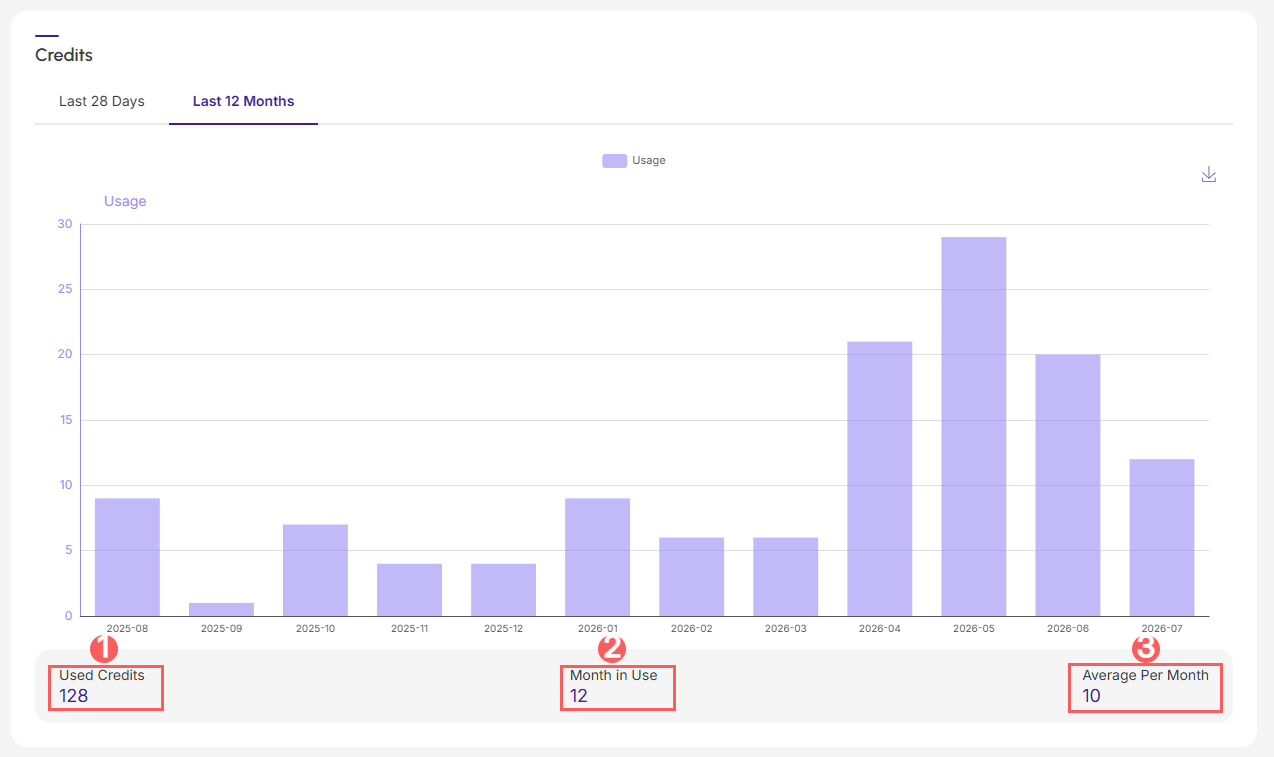
4 - Then, you will be able to view the Credits Used in the last 12 months.
-
Credits used throughout your entire subscription;
-
Months of usage;
-
Average credits used per month.
Transactional emails about credits used
In this section, you will have a preview of the transactional emails that Guru will send regarding the consumption of credits from your plan.