
You can disable the integration with Closum and also view the log of changes made (audit).
On this page:
-
Disable Integration with Closum
-
View Audit
-
View Audit filters
-
Before you begin, you need to…
-
Be an administrator user or have permission to perform the actions below.
-
Have an active integration with Closum.
Disable Integration with Closum
You can disable the integration with Closum if you no longer intend to use Autoresponders.
By disabling this integration, Guru will stop forwarding captured leads from the corresponding Closum mapping.
Steps:
1 - Go to Settings > Integrations > Autoresponders > Closum.

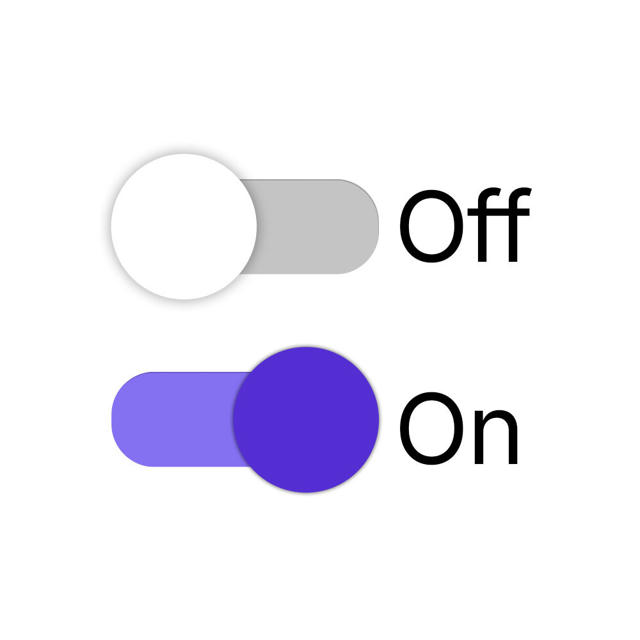
2 - Toggle the Active button to the off position.
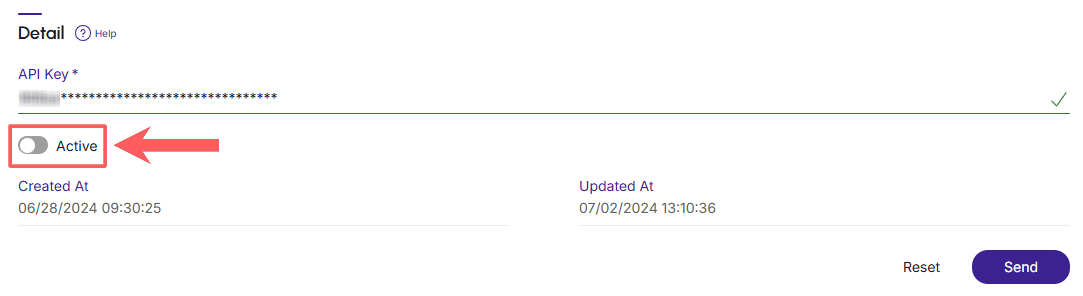
3 - Click on Send.
View Audit
As a security measure, Guru stores a history of all operations performed in the integration, identifying the user, date/time of the operation, and other details.
Steps:
1 - In the side menu, access Settings > Integrations > Autoresponders > Closum.
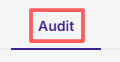
2 - Click on the Audit tab.
3 - Activities are displayed on a timeline (from most recent to oldest).

4 - If desired, you can view the details of the activity by clicking on its title.

5 - Click on one of the available sections to view the data:
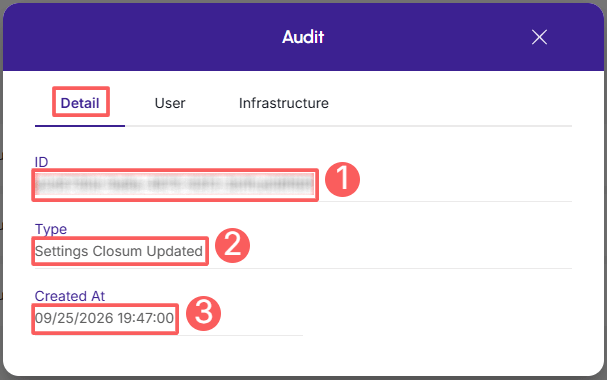
Detail
Displays detailed information about the activity in question.
-
ID: update identification number (ID);
-
Type of change made;
-
Created at: date the activity was recorded.
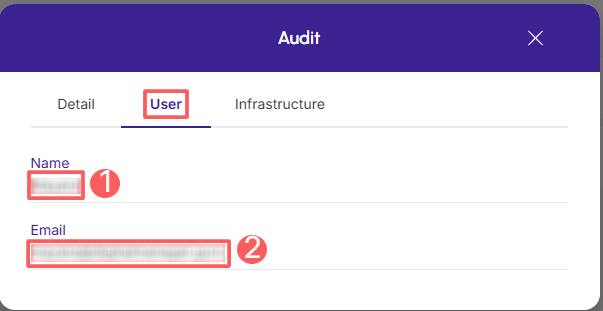
User
Displays information about the user who performed the action.
-
Name: name of the user who performed the operation;
-
Email: email of the user who performed the operation.
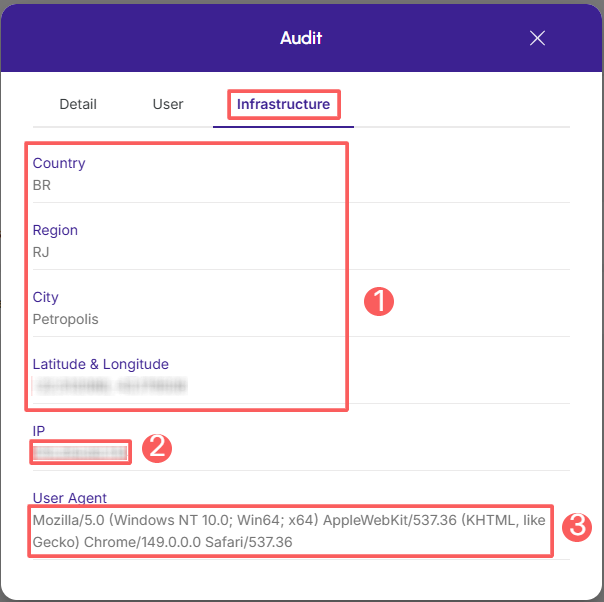
Infrastructure
Displays infrastructure information (country, IP, user agent…) of the related activity.
-
Country, Region, City, Latitude & Longitude: location of the device that performed the activity;
-
IP: device IP address;
-
User Agent: identification of the user agent that performed the operation.
View Audit filters
You can use filters to view a smaller subset of existing audits. This feature is useful for finding specific audits you want to view.
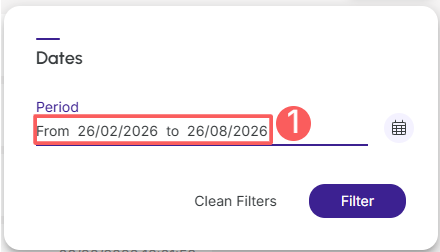
By default, only records from the last 28 days will be shown, but the period can be changed in the filters, in the Period field.
Steps:
1 - In the side menu, access Settings > Integrations > Autoresponders > Closum.
2 - Click on the Audit tab.
3 - In Audit, click on Filters.
4 - Fill in one or more filter options:
-
Period: searches for audits registered in the selected period - you can use the preset time range buttons or select the date you wish to view;
5 - Click on Filter.
You can view the number of applied filters, and when using them, you will be able to clear them without accessing the Filters icon again, making it easier to remove the selection.
Protect your data. Increase your business security.
Create and manage users by determining what each collaborator can see and do within the organization.
More Resources