
HubSpot Deals are essential for tracking sales opportunities and revenue through a customized process, known as a pipeline. This workflow maps everything from the initial lead interest to closing, facilitating management, revenue forecasting, and commercial progress visualization.
With the integration, when processing a sale in Guru, a deal will be created in HubSpot and automatically moved to the pipeline stage synchronized with the payment status. This allows you to follow the entire sales cycle and view, directly within the deal itself, crucial details such as contact information (buyer or attendee/guest contact), sold product, and generated e-tickets.
Guru synchronizes four types of deals with HubSpot: vendas, e-tickets, assinaturas and ciclos das assinaturas. Thus, the information from these transactions is automatically integrated, allowing various actions to be performed directly in HubSpot.
On this page:
-
Step 1: Enable deals in Guru for HubSpot
-
Step 2: Check Deal information from Guru's Pipeline (Optional)
Before you begin, you need to:
-
Have a HubSpot account.
-
Be an administrator user or have permission to perform the following actions.
-
Have an active integration with HubSpot.
Step 1: Enable deals in Guru for HubSpot
In this step, you will enable in Guru the object types that will be integrated as HubSpot deals.
Important: In HubSpot, Deals are generated according to the product type: e-ticket (for event tickets), sales (for one-time payments), or subscriptions and cycles (for recurring products).
Steps:
1 - Access the Guru admin using your username and password.
2 - In the side menu, access Settings > Integrations > Autoresponders > HubSpot.

3 - Click on the Deals tab.
4 - In the Deals1 tab, enable the desired options below.
-
Sales: when enabled, each approved sale in Guru creates a deal in HubSpot;
-
E-tickets: when enabled, each approved ticket sale in Guru creates a deal in HubSpot;
-
Subscriptions: when enabled, Guru creates a deal in HubSpot for each generated subscription;
-
Subscription cycles: when enabled, Guru creates a new deal in HubSpot every time a new charge is approved.
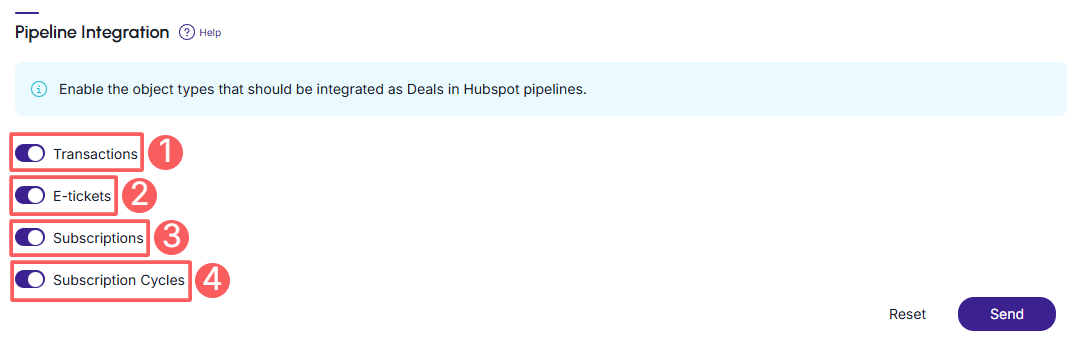

(1) Deals are generated according to the product type: e-ticket (for event tickets), sales (for one-time payments), or subscriptions and cycles (for recurring products).
5 - Click Send.
Step 2: Check Deal information in Guru's Pipeline (Optional)
In this step, you can view the deal information in the pipeline if you have enabled the options in Guru.
Steps:
1 - Log in to your HubSpot account with your username and password.
2 - In the side menu, click on CRM, and then on Deals.
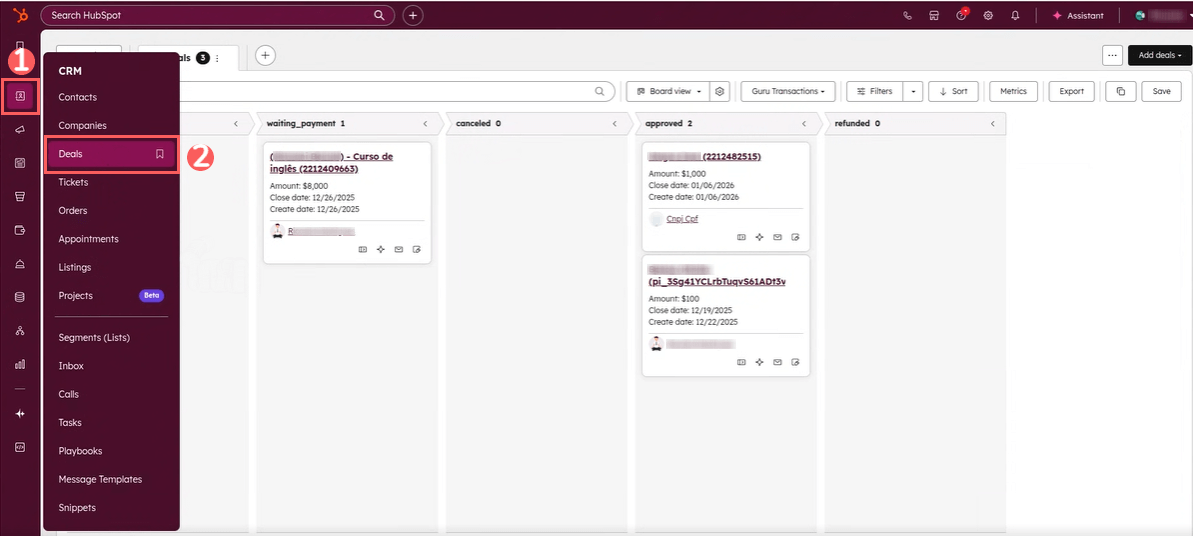
3 - Then, view the Deals or select the pipelines to access them.
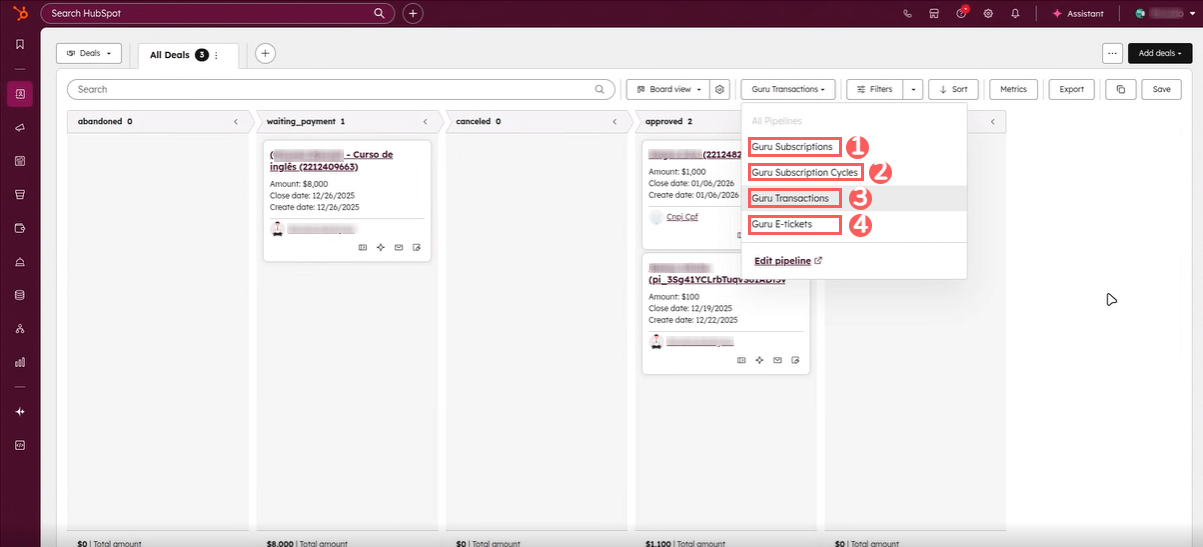
4 - Click on the Deal if you wish to view its information.
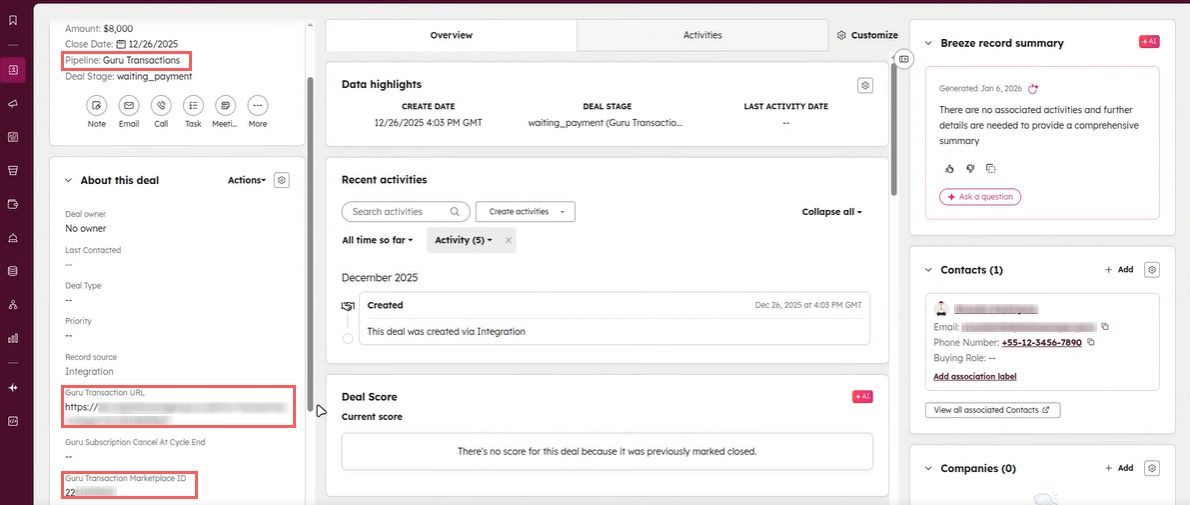
Sales Deal
In the Sales Deal, you can access the transaction URL as well as the marketplace ID information.
E-tickets Deal
In the E-tickets Deal, you can view information about the buyer and the person assigned to the ticket (guest/attendee).
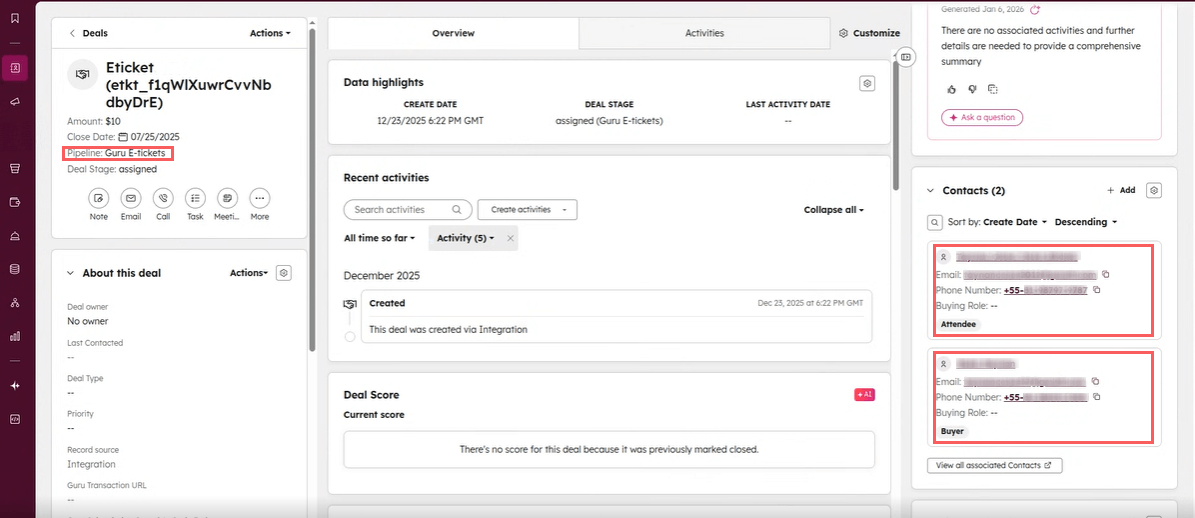
The E-tickets deal differs from others by allowing the management of multiple contacts, clearly distinguishing the buyer from the guest/attendee. Additionally, it provides the ticket URL, which allows completing additional form information.