
Ad accounts registered in Guru are automatically listed in the ad accounts section in the integration with Taboola.
To find Taboola ad accounts in a list with many records, you can search and filter the list.
On this page:
-
View the list of ad accounts
-
How to filter the list of ad accounts
Before you begin, you need to…
-
Be an admin user or have permission to perform the following actions.
View the list of ad accounts
By default, the list of ad accounts is organized by creation date (from newest to oldest). For faster page loading speed, only the first 30 records are displayed. If you want to view the remaining items in the list, you can scroll to the bottom of the page and click See more in the bottom center of the screen.
Steps:
1 - Access the Guru admin with your username and password.
2 - In the side menu, go to Settings > Integrations > Publishers > Taboola.

3 - Click on the Ads Accounts tab.
4 - The list displays the following information:
-
ID: AD account ID;
-
Name: name of the ad account;
-
User Account: name of the user account;
-
Connected at: date and time the account was connected.

How to filter the list of ad accounts
You can use filters to view a smaller subset of existing ad accounts. This feature is useful for finding ad accounts you want to view or remove.
Attention: list searches have a maximum selection limit of up to 100 items per filter.
Steps:
1 - Click on the Ads Accounts tab. Then, when the page loads, a list with all ads will be displayed.
2 - In Ad Accounts, click Filters.
3 - Fill in one or more filter options:
-
User: searches for the ad account user profile.
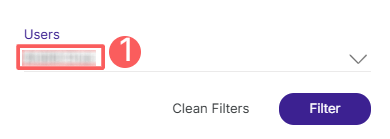
4 - Click Filter.