
It is possible to update a conversion associated with a LinkedIn ad account to edit this setting or remove its association when necessary.
On this page:
-
Update conversion
-
Remove conversion
Before you start, you need…
-
Have an active user account.
-
Have an active ad account.
-
Have added a conversion.
-
Be an administrator user or have permission to perform the following actions.
Update conversion
You can update a conversion registered in Guru associated with the created event. This feature is useful when you need to change the conversion information without having to create a new configuration.
Steps:
1 - Access the guru admin with your username and password.
2 - In the side menu, click on Settings > Integrations > Publishers > LinkedIn.

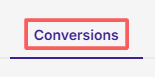
3 - Click on the Conversions tab.
4 - In the conversion list, select the conversion you want to update.

5 - Then, edit the desired conversion rule:
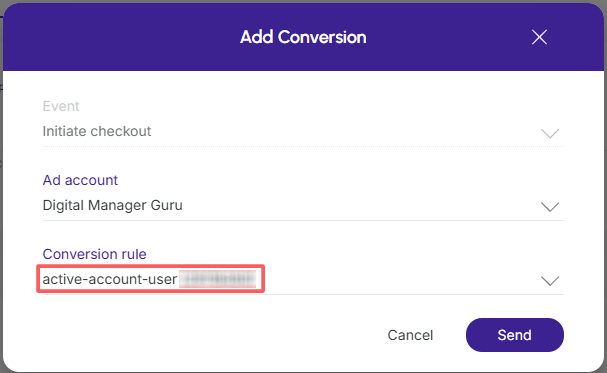
6 - Click on Send.
It is not possible to change the event type of a conversion.
Remove conversion
it is possible to remove a conversion registered in Guru. When you delete a conversion, it is no longer used in Linked. In event tracking and can no longer be sent to the platform until a new configuration is created.
Steps:
1 - Access the guru admin with your username and password.
2 - In the side menu, click on Settings > Integrations > Publishers > LinkedIn.
3 - Click on the Conversions tab.
4 - Hover over the desired Conversion and click on Remove - trash can icon.

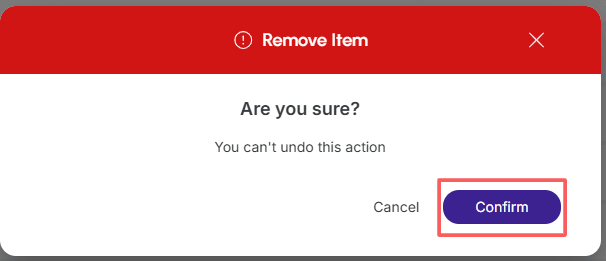
5 - A confirmation window is displayed. If you wish to proceed with the removal, click on Confirm.
More Resources