
If necessary, you can manually enter the invoice data issued for the sale in question.
Tip: Integrate your billing tool and automate invoice issuance.
On this page:
-
Inform Invoice Data
Before you start, you need…
-
Be an administrator or have permission to perform the following actions.
-
Have one or more registered sales.
Inform Invoice Data
You can manually enter the data to issue an invoice for a sale.
Steps:
1 - Access the desired sale - a screen with the data will be displayed.
2 - On the Detail tab, click on Inform Invoice Data.
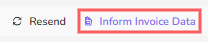
3 - In the displayed window, enter the following data:
-
ID: Invoice Identification number;
-
Key: Invoice Key or Series;
-
Issued At: date the Invoice was issued;
-
XML URL: link to the invoice in XML format;
-
PDF URL: link to the invoice in PDF format.
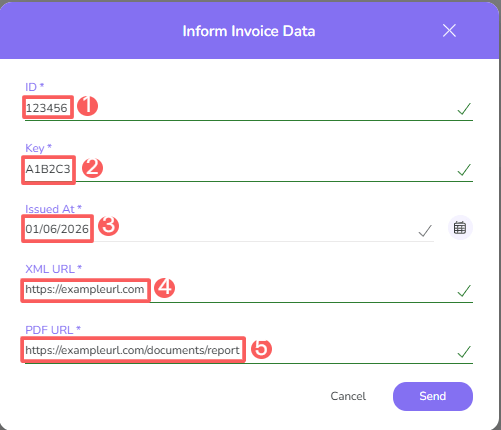
4 - Click on Send.
More Resources