
When accessing the list of Neural A/B Checkout Tests, you will find the Detail section, which offers a complete view of the settings and status of each test. In addition, you can check crucial information such as the Disclosure URL, the Name and the Friendly URL of your test, and the associated Product.
it is important to monitor the Learning and Minimum Learning percentages, which indicate how traffic is being directed and optimized based on conversions. The Conversion Window defines the test duration, while the Group and Owner fields help with organization.
To ensure the security and traceability of operations, the Audit section records the entire history of changes made to the offer registration, including the responsible user, date/time, and other relevant details, providing transparency and control over each step of the process.
On this page:
-
Detail
-
Audit
-
How to filter the Audit list
-
Detail
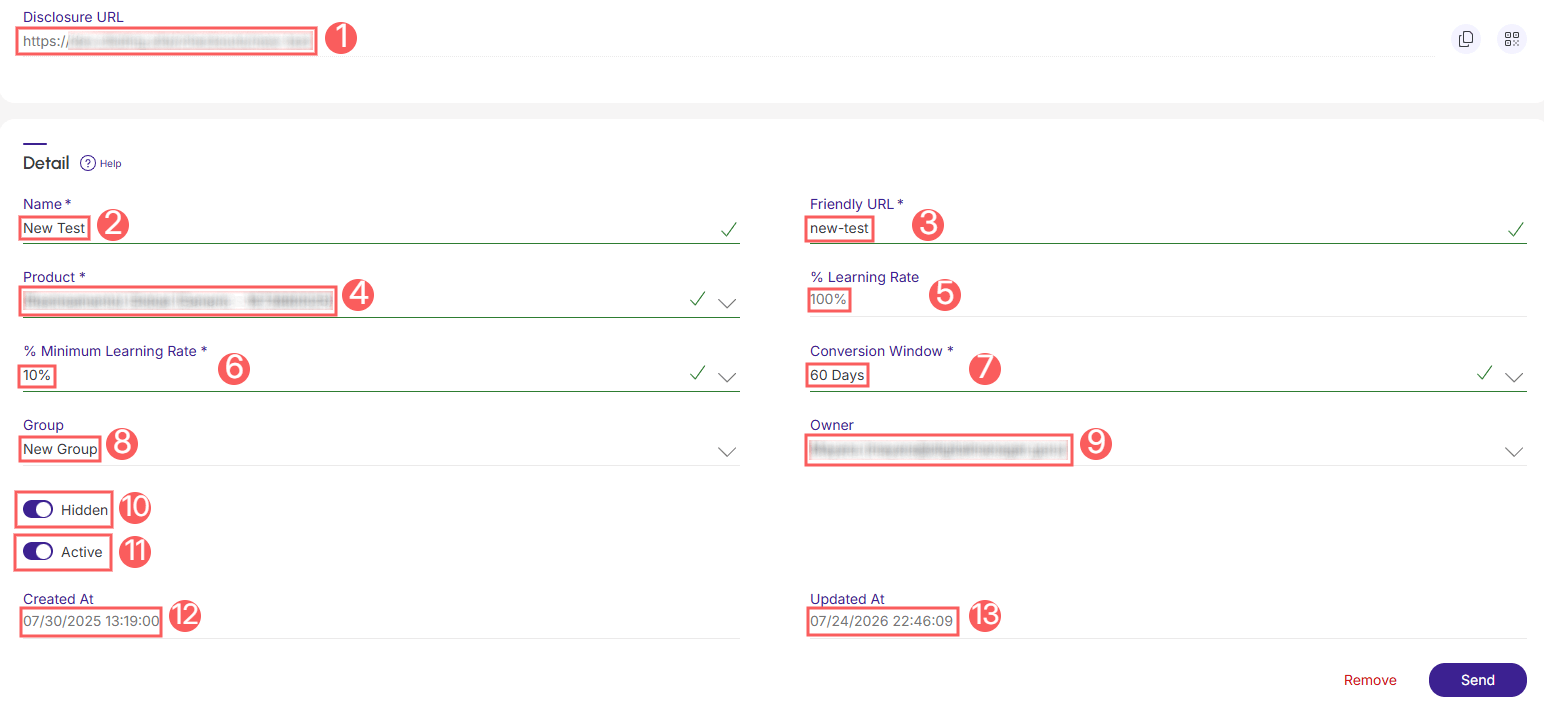
In the Detail section, you can view all information about the Neural A/B Checkout Test, such as disclosure URL, name, friendly URL, product, % learning, % minimum learning, group, and user.
Steps:
1 - Access the list of Neural A/B Checkout Tests - a screen with the data will be displayed.
2 - In Detail, the list displays the following information:
-
Disclosure URL: disclosure URL of your Neural A/B Checkout Test;
-
Name: name of your Neural A/B Checkout Test;
-
Friendly URL: automatically generated from the traffic split name, it is a simple text to remember or type that will appear at the end of the tracked URL - if desired, you can change it;
-
Product: product you intend to use in your Neural A/B Checkout Test;
-
% Learning: current learning percentage of your Neural A/B Checkout Test(1);
-
% Minimum Learning: minimum learning percentage;
-
Conversion Window: duration of your Neural A/B Checkout Test;
-
Group: group it belongs to(2);
-
Owner: owner of the Neural A/B Checkout Test;
-
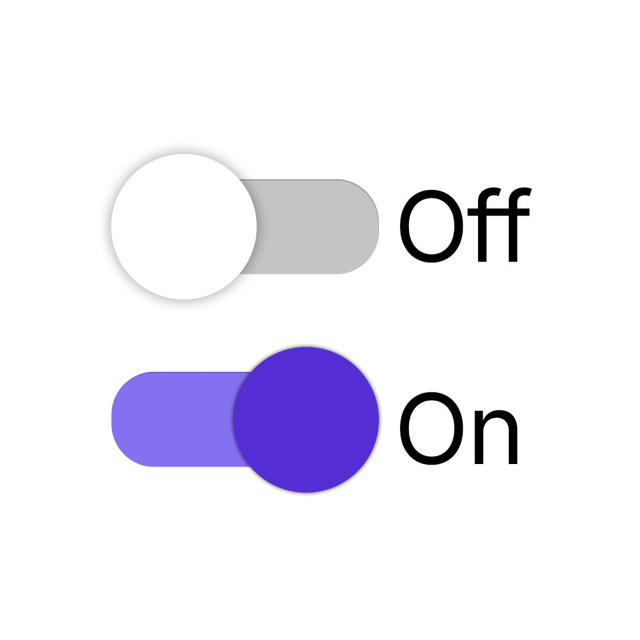
Hidden: when activated, hides the Neural A/B Checkout Test from the list - the disclosure URL will remain active;
-
Active: to activate the Neural Checkout A/B Test, switch the button to the active position;
-
Created At:
-
Updated At:
(1) As conversions occur, the learning % gradually decreases from 100% down to, at most, the minimum learning percentage defined by the user when creating the A/B Test - Ex.: if the current percentage is 80%, it means that Guru is sending 20% of the traffic to the winning page and 80% of the traffic is being proportionally divided among all pages and so on.
(2) This field is optional and will only appear filled if you have already created a group.
Audit
As a security measure, Guru stores a history of all operations performed in the offer registration, identifying user, date/time of the operation, and other details.
Steps:
1 - Access the Neural Checkout A/B Test list - a screen with the data will be displayed.
2 - Click on the tab Audit.
3 - Activities are displayed in a timeline (from most recent to oldest).

4 - If desired, you can view the activity details by clicking on its title.

5 - Click on one of the available sections to view the data:
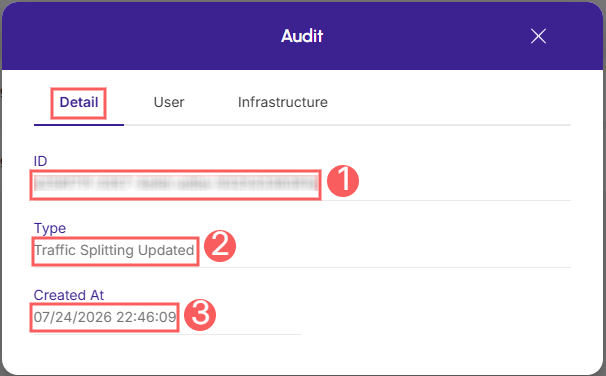
Detail
Displays detailed information about the activity in question.
-
ID: activity identification code.
-
Type: of change made;
-
Created on: item creation date.
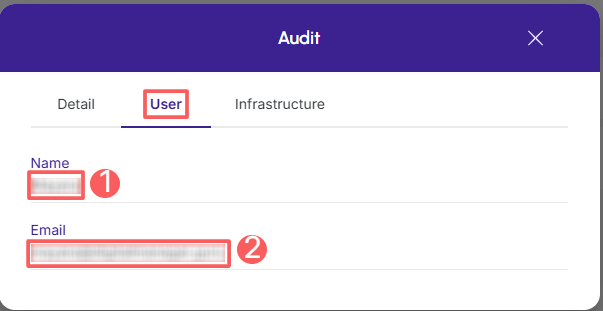
User
Displays information about the user who performed the action.
-
Name: name of the related user.
-
Email: email of the related user.
Infrastructure
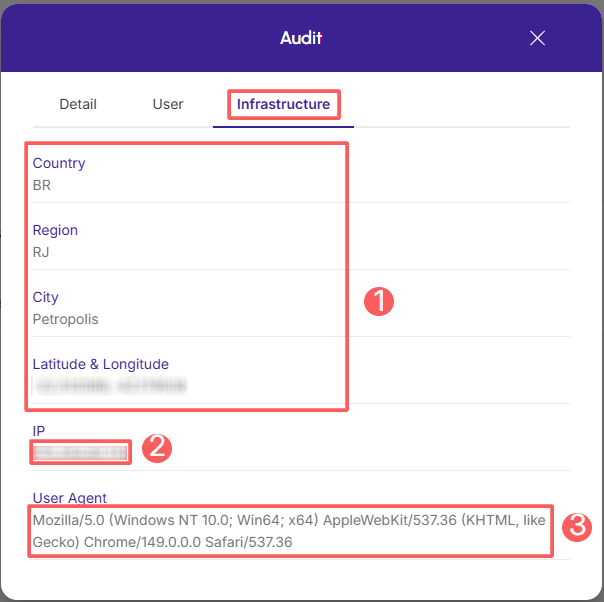
Displays infrastructure information (country, IP, user agent…) of the related activity.
-
Country, Region, City, Latitude & Longitude: location of the device that performed the activity.
-
IP: device IP address.
-
User Agent: identification of the user agent (user agent) that performed the operation.
How to filter the Audit list
You can use the filters to view a smaller subset of existing audits. This feature is useful for finding specific audits you want to view.
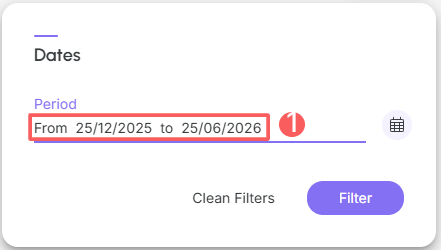
By default, only records from the last 28 days will be shown, but the period can be changed in the filters, in the field Period.
Steps:
1 - Access the list of Neural A/B Checkout Tests - a screen with the data will be displayed.
2 - Click on the Audit.
3 - In Audit, click on Filters.
4 - Fill in one or more filter options:
-
Period: searches for audits registered in the selected period - you can use the predefined time range buttons or select the date you want to view.
5 - Click on Filter.
You can view the number of applied filters, and when using them, it will be possible to clear them without accessing the Filters icon again, facilitating the removal of the selection.
Protect your data. Increase your business security.
Create and manage users determining what each employee can see and do within the organization.