
Each product offer has 2 or 3 associated payment links. The payment link directs the customer to pay for the order according to the quantity, price, payment methods, and other offer settings.
You can customize the behavior and appearance of Checkout Guru and also customize the checkout link for your website or store's domain by configuring a custom domain.
You can obtain the payment links in 3 different ways: through the offer list, in the offer registration, or by exporting the product registration to a spreadsheet.
1 Exporting to a spreadsheet is the fastest way to get the payment links for all offers. This option is useful when your product has more than one associated offer.
On this page:
-
Get the offer payment link
-
What types of payment links are available?
-
What are One Click links and how do they work?
Before you start, you need…
-
Be an administrator user or have permission to perform the following actions.
-
Have one or more offers created.
Get payment link
Payment links are available in the Product registration in the Guru admin.
You can get the payment link in 3 ways: exporting to a spreadsheet, listing offers, or in the offer details.
In the spreadsheet export and offer listing, only the standard payment link is available. To get other types of payment links, access the offer details.
Follow one of the steps below to get a payment link:
Export to spreadsheet
Exporting the product list to a spreadsheet is the fastest way to get the payment links for all offers. This option is useful when there are products with more than one associated offer or an extensive list of products.
Steps:
1 - Export the product list you want.
2 - Wait for the notification containing the download link.
3 - Download the file.
4 - Open the spreadsheet and access the Offers tab.
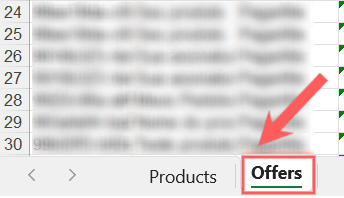
5 - Locate the product and the respective offer. Then, copy the content of the column “URL Checkout”

In the offer listing
You can get the Payment URL in the list of offers for the respective product.
Steps:
1 - In the side menu, go to Products.
2 - If desired, apply a filter to locate the product - optional step.
3 - Click on the desired Product.
4 - Access the Offers tab.
5 - Hover over the Offer and click the Link icon to copy the checkout URL.

In the offer details
You can get all available checkout links in the offer details.
Steps:
1 - In the side menu, go to Products.
2 - If desired, apply a filter to locate the product - optional step.
3 - Click on the desired Product.
4 - Access the Offers tab.
5 - Click on the desired Offer.
6 - Click the copy button corresponding to the type of checkout link you want:
1. Payment URL: standard payment link.

2. URL of One Click Buy: 1-click purchase link.

3. URL of One Click Upgrade: 1-click upgrade link - available for subscriptions only.

Disclose the obtained checkout link to receive payments. If you sell product kits, remember to disclose the checkout link for each available option (offer).
What types of checkout links are available?
There are three types of payment links available for an offer. You must choose and disclose the link compatible with the sales strategy you intend to apply.
|
Type |
Description |
Applies to |
Where to disclose |
|---|---|---|---|
|
Standard Checkout (Payment URL) |
Directs the customer to the payment page of the related offer. On this page, personal data, address1, shipping information2 , and payment details will be requested. |
Secure purchase completion of the product offer in question. |
We recommend displaying this link on web pages or sending it to customers via email or messaging apps. |
|
1-Click purchase (One Click Buy URL)
|
When clicked, it processes the payment for the related offer using the data provided in the previous purchase's checkout. |
Strategy for upsell and cross-sell immediately after a purchase is approved. |
We recommend displaying this link on the approved payment page of the main product. |
|
1-Click upgrade (One Click Upgrade URL) |
Available only for subscriptions. When clicked, it performs a plan upgrade and processes the offer payment with the data provided in the previous purchase's checkout (subscription adherence). |
Offer for plan upgrade3 immediately after an approved subscription payment. |
We recommend displaying this link on the approved payment page of the initially contracted plan. |
To learn more about which link to use according to your sales strategy, consult:
How to choose which payment link to use
1 If desired, you can perform sales without an address, by hiding the respective fields in the checkout form.
2 Displayed according to the shipping settings of the offer in question.
3 You can make plan changes available throughout the subscription lifecycle by adding upgrade and downgrade options in the offer registration.
What are One Click links and how do they work?
The One Click links allow the customer to pay for a new order with just one click. When the customer clicks on this link, Guru retrieves the data provided for the previous order's payment and uses that data to process the new order's payment.
There are 2 types of One Click: links: One Click Buy and One Click Upgrade, consult this topic to learn more about the behavior and applicable situations for each of them.
The One Click links are an excellent opportunity to generate additional sales and increase the average ticket per customer, by offering a complementary product on the order confirmation page.
The product offered via One Click must be from the same payment processor as the main product.
Requirements to work
For “1-click purchase” to work correctly, the user (buyer) must meet all the requirements below:
-
Go through the standard checkout once, have the purchase approved; and
-
Click the One Click link up to 2 hours after the last approved payment; and
-
Perform all previous actions on the same device.
If the above requirements are not met, the user (buyer) will be directed to the standard checkout page where they must fill in the requested data to make the new payment.
Multi-purchase funnel
You can build a multi-purchase funnel, presenting offers in sequence for your customer “1-click purchase” - one offer on each approved payment page. However, when a transaction in this sequence is rejected, the One Click link stops working and starts directing the user to the standard checkout.
How to share the link of One Click
To disclose a One Clicklink, you must create your own approved purchase page and configure it as the completion page for the previous order (main product).
Learn more at:
You can also sell additional products (cross-sell) on the payment page by adding Order Bump to the main product's offer.
More Resources