
You can export your product information to a spreadsheet (XLSX file). This feature can be useful for tasks such as:
-
Store a backup of your products.
-
Quickly get a list of all checkout links for your products.
Product export is performed in the background and usually takes a few minutes. When the file is ready, you receive a notification in the Guru admin and an email containing the download link. It is not possible to export the same spreadsheet again within a 30-minute interval.
Export is limited to 10,000 products. If you have a larger number of records, apply a filter to reduce the size of the export list.
Product export is done to an Excel spreadsheet (XLS format) and includes data on:
-
Product and producer name
-
Product and producer ID
-
Marketplace name and ID
-
Tracking
-
Group name (when the product is associated with a group)
On this page:
-
How to Export Products
Before you start, you need…
-
Be an administrator user or have permission to perform the following actions;
-
Have one or more products created.
Export Product List
Product export to a spreadsheet is available in the Products section in the Guru admin.
To export only some products, you can apply a filter to restrict the export list.
In the product export spreadsheet, you can access the offers tab to view data on:
-
Product Name and ID
-
Marketplace Name and ID
-
Offer Name
-
Value, increase, and discount
-
Installments and interest rate
Steps:
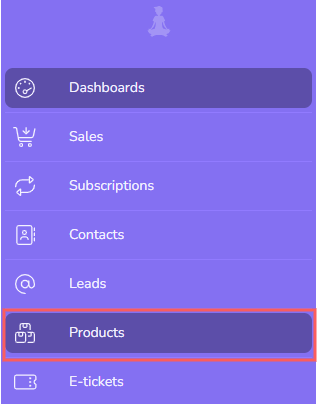
1 - In the side menu, go to Products.
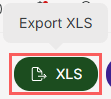
2- In Products, click on XLS.
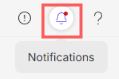
3 - After a few minutes, you receive a notification in the Guru admin with the Download link. Click on the notification icon1 in red to view the list of notifications.
1 It may be necessary to reload the page in your browser (press CTRL+F5) for the notification icon to change color.
4 - Locate the corresponding notification and click on Download.
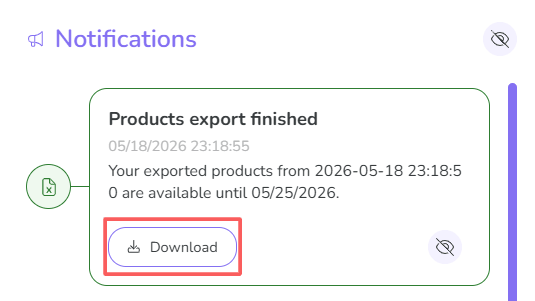
The download link is also sent by email.
It is not possible to export the same spreadsheet again within a 30-minute interval.
More Resources