
It is possible to link the registration of a producer (manufacturer) to a contact registered in Guru, as well as remove them when necessary.
This feature is useful for accessing producer data directly from the contact.
On this page:
-
Link Producer Registration to Contact
-
View Producer Data
-
Remove Producer Link from Contact
Before you start, you need to…
-
Be an administrator user or have permission to perform the following actions.
-
Have one or more registered contacts.
-
Have one or more producers not linked to a contact.
Link Producer Registration to Contact
To link a producer to a contact, simply select a producer from the list.
Steps:
1 - In the side menu, go to Contacts.
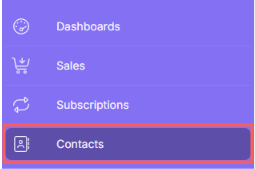
2 - In the displayed list, select the Contact you want to link to a producer.

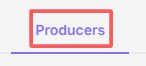
3 - Then, click on Producers.
4 - Click on Add.

5 - In the list, select the producer you want to associate with the contact - only producers without a linked contact will be displayed.
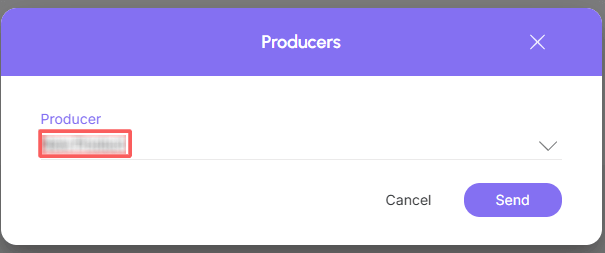
6 - Click on Send.
7 - Repeat steps 4 to 6 to link other product registrations to the contact in question.
View Producer Data
You can view1 all producer information or modify1 some contact data.
(1) permission is required to perform these actions.
Steps:
1 - Access the list of producers - a screen with the data will be displayed.
2 - Locate the desired producer in the list.
3 - Click on the desired producer.
4 - Consult producer information.

Remove Producer Link from Contact
At any time, you can remove the producer link from a specific contact.
Steps:
1 - In the side menu, go to Contacts.
2 - In the displayed list, select the Contact from which you want to remove the linked producer.
3 - Click on Producers.
4 - In the line corresponding to the desired Producer, click on Remove - trash can icon.

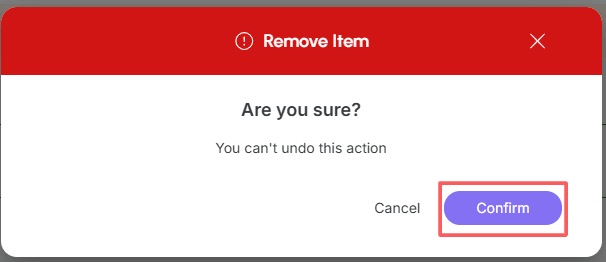
5 - A confirmation window is displayed. If you wish to proceed with the removal, click on Confirm.
More Resources