
You can log in to your account using your username and password, or by logging in with external tools such as apple, facebook, google and microsoft.
On this Page:
-
Account Login
-
How to log out of your account
Account Login
In this section, you will learn how to log in to your Guru account.
Steps:
1 - Access the guru admin page.
2 - According to the desired login method, follow one of the steps below:
Login with username and password
2.1 - Access the Guru. page.
2.2 - Then, enter your email and password associated with Guru.
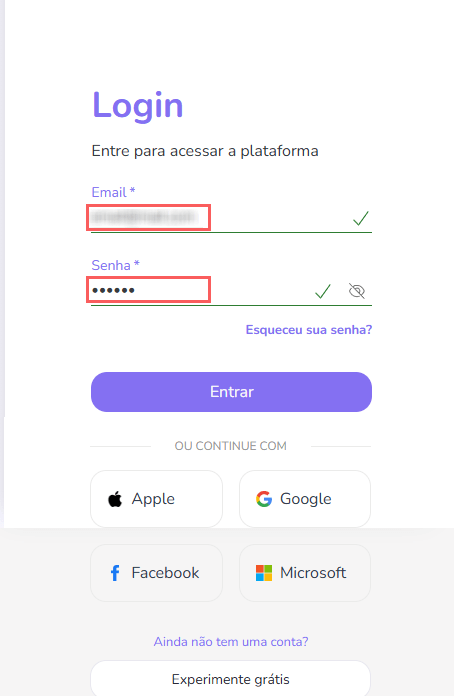
2.3 - Click on Submit.
Login with external tool (e.g.: Apple)
To access your account login with Apple, go to:
2.1 - Access the Guru. page.
2.2 - Click on Sign in with Apple.
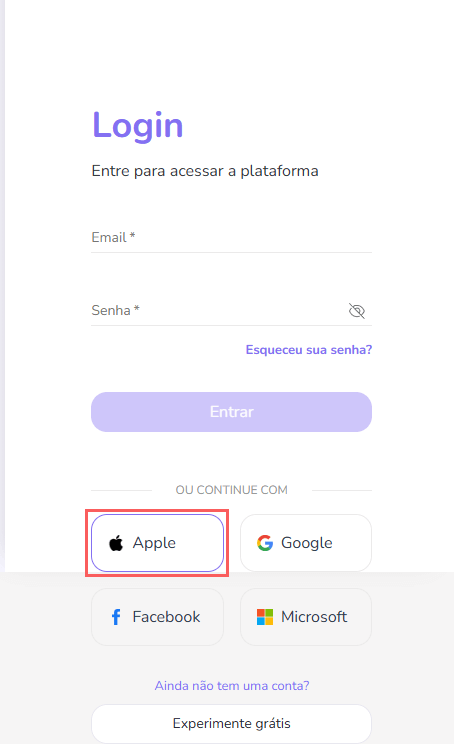
2.3 - Enter email and password for your Apple. account.
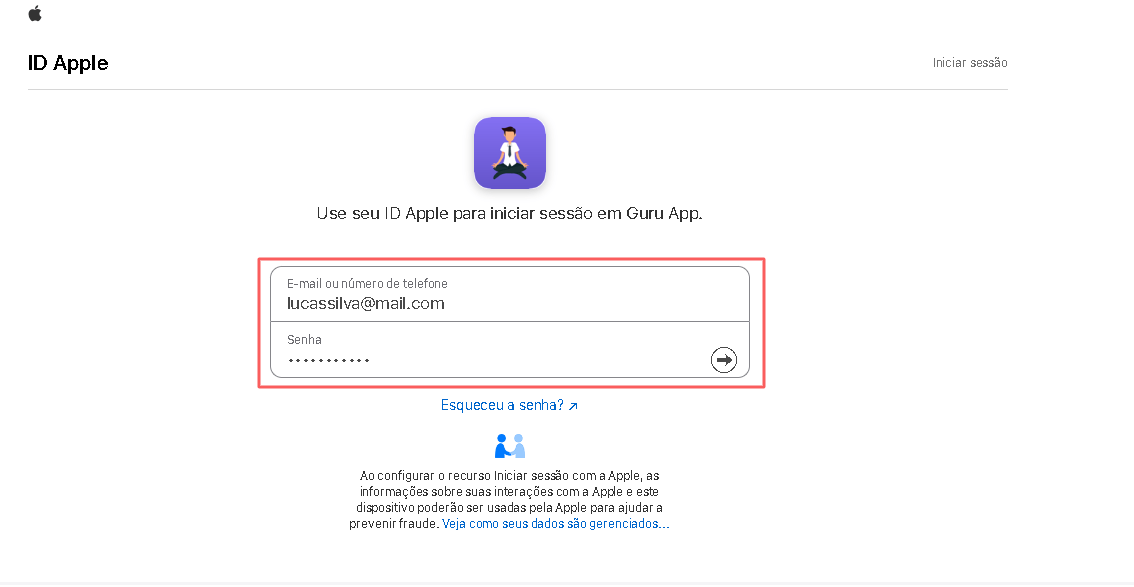
2.4 - Click on Sign in.
Login with external tool (e.g.: Facebook)
To access your account login with Facebook, go to:
2.1 - Access the Guru. page.
2.2 - Click on Log in with Facebook.
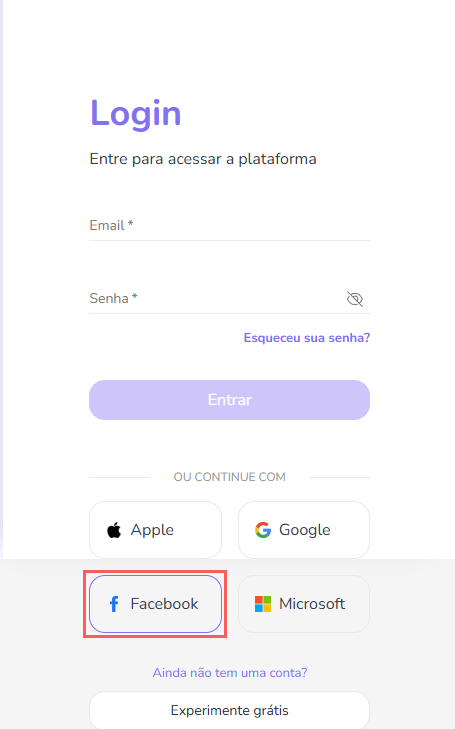
2.3 - Enter email and password for your Facebook. account.
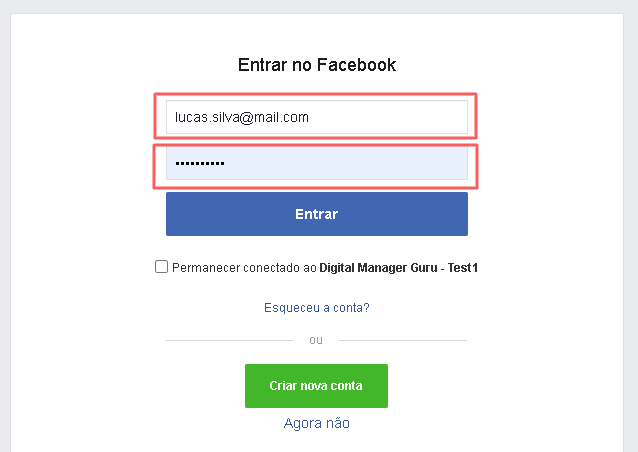
2.4 - Click on Log in.
Login with external tool (e.g.: Google)
To access your account login with Google, go to:
2.1 - Access the Guru. page.
2.2 - Click on Sign in with Google.
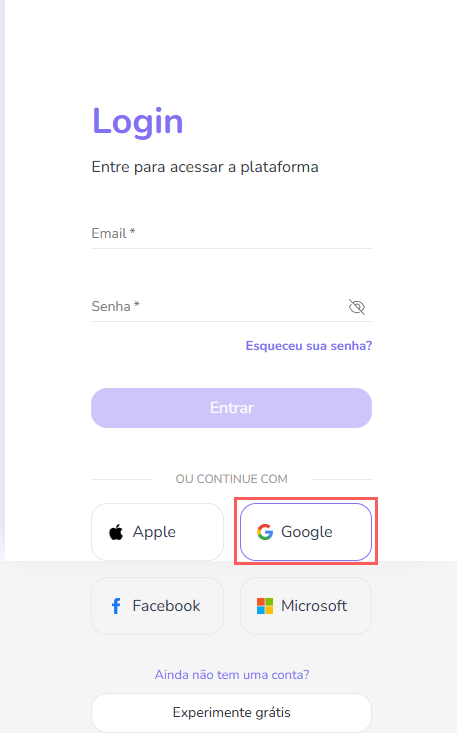
2.3 - Enter your email for your Google account, and click on Next.
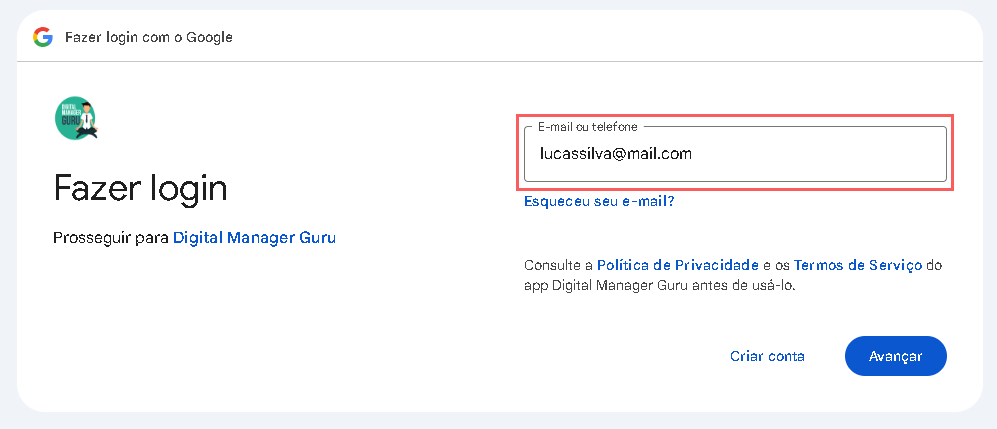
2.4 - Confirm the account, and click on Next.

2.5 - Enter the password for the account.
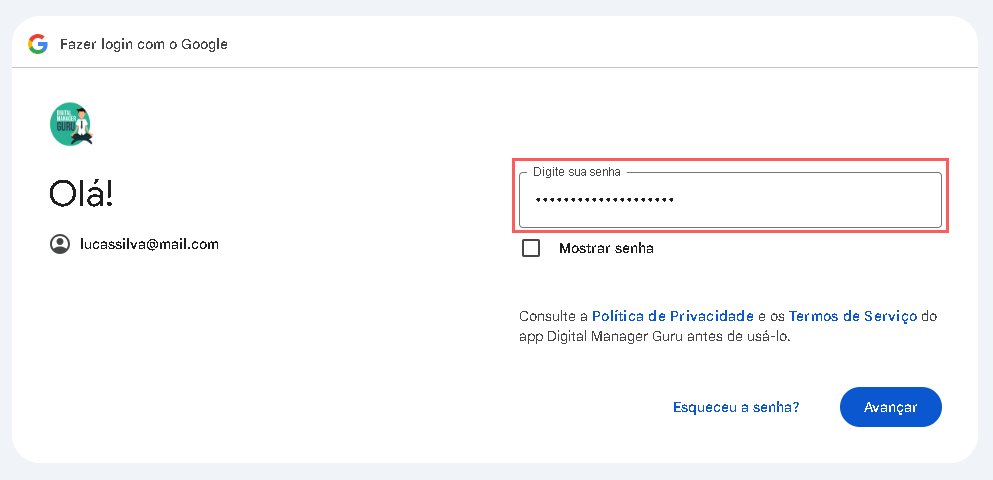
2.6 - Click on Next.
Login with external tool (e.g.: Microsoft)
To access your account login with Microsoft, go to:
2.1 - Access the Guru. page.
2.2 - Click on Sign in with Microsoft.
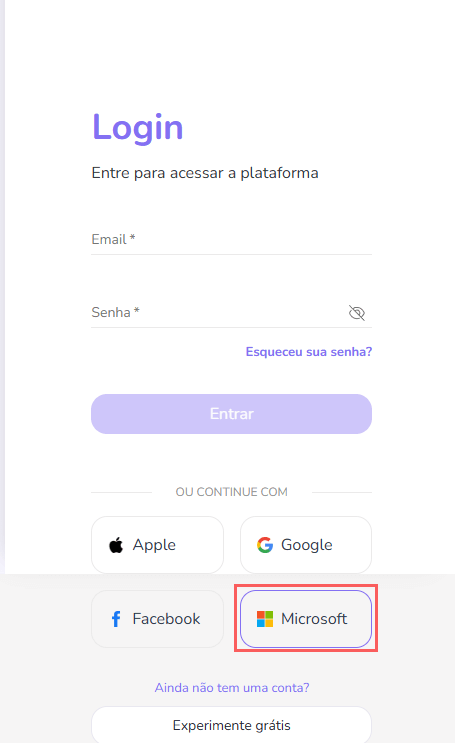
2.3 - Enter email and password for your Microsoft. account.
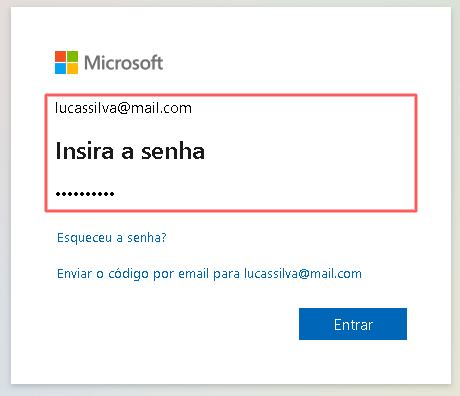
2.4 - Click on Sign in.
How to log out of your account
In this section, you will learn how to log out of your Guru account.
Steps:
1 - Access the guru admin with your username and password.
2 - In the top right corner, click on Logout.

By clicking log out, you will be logged out of your account.
More Resources