
By integrating your DocuSign account, you will be able to automate the generation and completion of contracts in DocuSign from approved sales or activated subscriptions in Guru.
To activate the integration, you need to connect your DocuSign account, then link a product in Guru with a contract template in DocuSign, and map the sales or subscription fields to fill in the contract.
On this page:
-
Step 1: Activate the integration
-
What to do next
Before you start, you need to:
-
Have a DocuSign account.
-
Be an administrator user or have permission to perform the following actions.
Step 1: Activate the integration
In this step, you will activate the DocuSign integration in Guru.
Steps:
1 - Access the guru admin with your username and password.
2 - In the side menu, go to Settings > Integrations > Contracts > DocuSign.

3 - On the Detail tab:
-
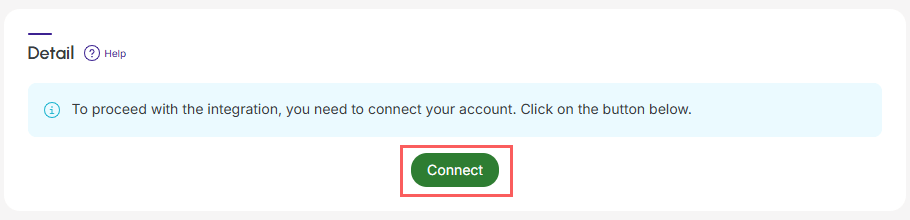
Connect: click connect. You will be redirected to the DocuSign login.
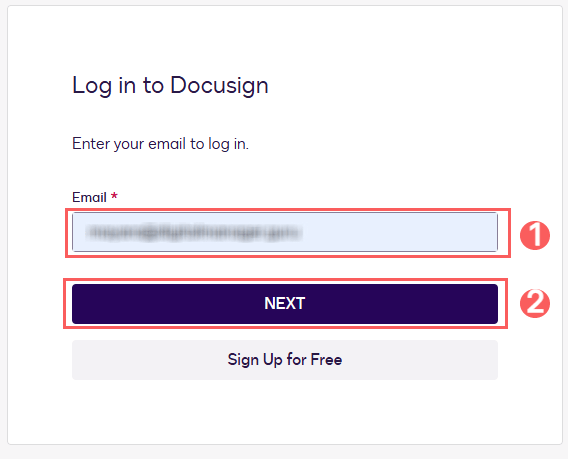
4 - To log in with your DocuSign account, enter your email and click Next.
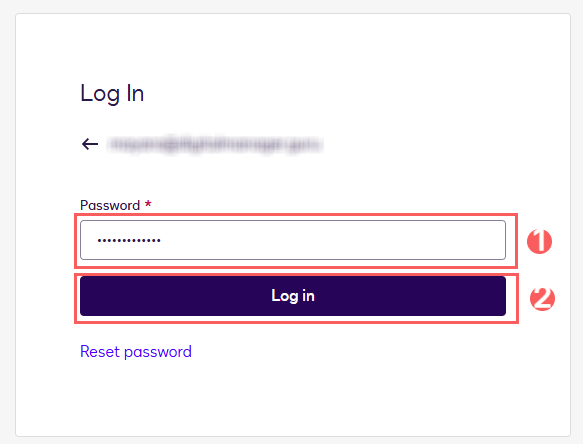
5 - Then, enter your password and click Log in.
To confirm that the integration is active, you should see a notification in the upper right corner.
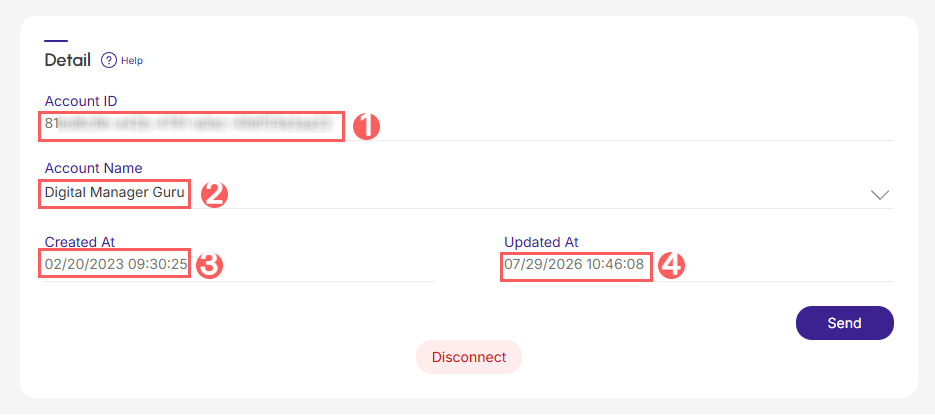
6 - When activating the integration with DocuSign, on the Detail tab, the account data will be displayed:
-
Account ID: the account identifier in DocuSign;
-
Account Name: the name of the account associated with DocuSign;
-
Created at: date and time when the integration was created;
-
Updated at: date and time when the integration was updated.
What to do next
Once the integration with DocuSign is active, you must configure the sending of the contract in DocuSign, associate a Guru product with a contract template, and, if desired, send custom fields to inform in the contract.
This configuration is done through:
1 - Configure contract generation in DocuSign (product mapping);
2 - Configure data submission for contract generation (field mapping).