It is possible to add the producer's name and document and the marketplace to which they are linked, or remove the producer.
On this page:
-
Add producer
-
Remove producer
Add producer
You can manually add a new producer in Guru.
If you are not the producer, contact your producer to obtain the document or consult the registration of the related product in the marketplace.
Steps:
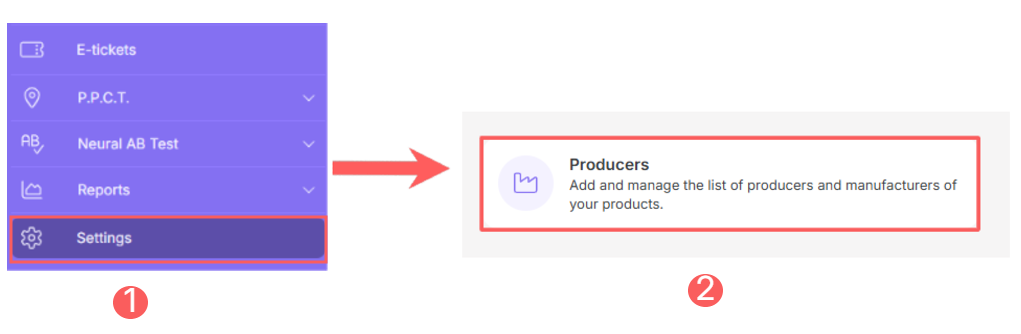
1 - In the side menu, access Settings and then Producers.
2 - Click on Add Producer.
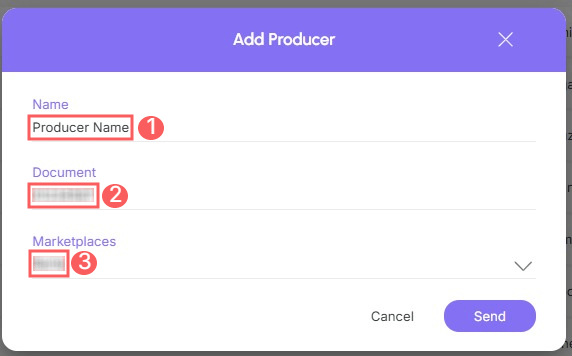
3 - In Add Producer, enter the following data:
-
Name: name of the producer you want to register;
-
Document: document of the producer you want to register;
-
Marketplaces: marketplace to which the producer is linked.
4 - Click on Send.
Remove producer
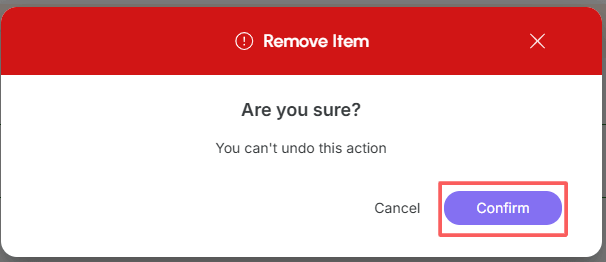
It is possible to remove a producer, provided that they do not have associated sales. When removing a producer, the record is permanently removed and cannot be restored.
Important: It will not be possible to delete a producer if they have associated sales.
To remove a producer:
Steps:
1 - In the side menu, access Settings and then Producers.
2 - Click on the Producer you want to remove.

3 - In Detail, click on Remove1.
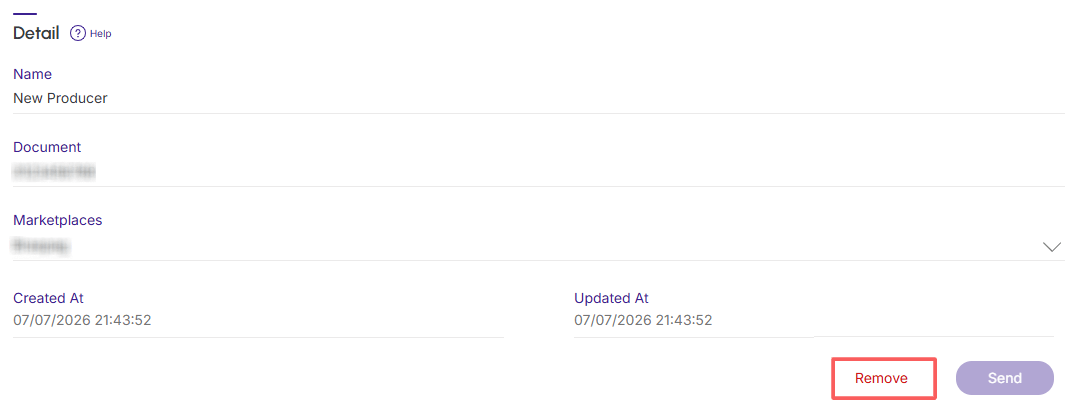
1 The button is only visible if the producer has no associated sales.
4 - A confirmation window is displayed. If you wish to proceed with the removal, click on Confirm.