
It is possible to make several modifications to the coupon, such as editing it after creation, as well as deactivating and duplicating a coupon.
This feature is useful for making changes to the coupon information, in order to take advantage of the already provided fields.
On this page:
-
Edit Coupon
-
Deactivate Coupon
-
Duplicate Coupon
-
Remove Coupon
Before you start, you need…
-
Be an administrator or have permission to perform the following actions.
-
Have one or more coupons registered in Guru.
Edit Coupon
it is possible to edit the discount coupon after its creation.
Steps:
1 - Access the coupon list - if desired, you can apply a filter.
2 - Locate the desired coupon in the list.
3 - Click on the desired coupon.

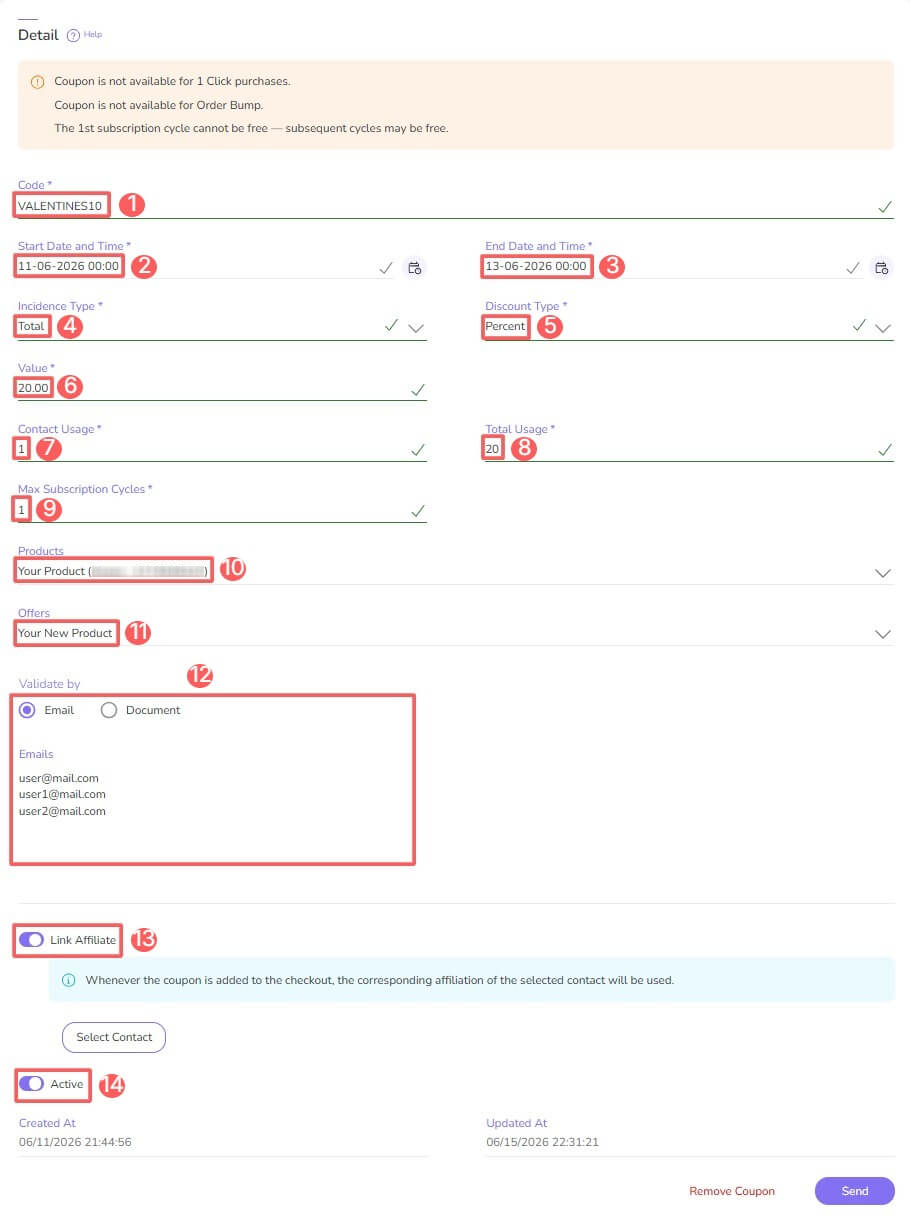
4 - Edit any of the following fields:
-
Code: information that the customer will have to enter in the Discount Coupon field at checkout;
-
Start Date and Time: start date and time of the coupon's validity;
-
End Date and Time: end date of the coupon's validity;
-
Incidence Type: the discount can apply to the value of the Product, Shipping, or Total purchase value;
-
Discount Type: discount
percentualor invalue; -
Value: discount value - the informed value will be combined with the selected discount type;
-
Contact usage: number of times each contact can make a purchase with this coupon - example: contact usage = 2, means that each customer can make 2 purchases with the coupon (same email);
-
Total usage: total number of times the coupon can be used - example: total usage = 500, means that the coupon can be applied by the first 500 customers who make the purchase;
-
Max Subscription Cycles1: number of subscription cycles for which the coupon can be used when applied - example: max subscription cycle = 2; means that the coupon will be applied for 2 subscription cycles;
-
Products: select the eligible products for using the discount coupon;
-
Offers: select the eligible offers for using the discount coupon;
-
Validate by: enter the eligible emails or documents (one per line) for using the discount coupon;
-
Link Affiliate: select a contact to link an affiliate to a sale via coupon - only contacts with active affiliation for the selected product can be selected (available only for customers in Brazil);
-
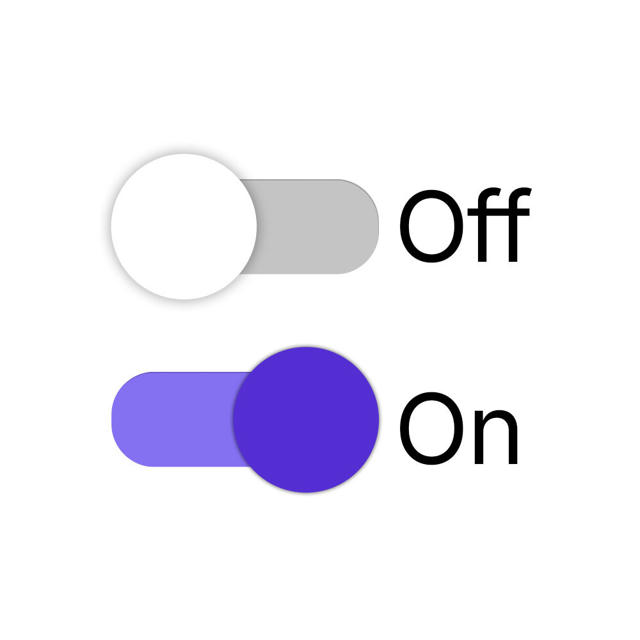
Active: switch the button to the on position.
(1) The value zero is infinite, meaning the coupon will be applied to all subscription cycles.
5 - Click on Send.
Deactivate Coupon
You can deactivate or reactivate a coupon at any time. This feature is useful when you do not intend to delete the coupon, but want to prevent a customer from using it.
When deactivated, the coupon will not be accepted at checkout even if the usage limit has not been exhausted.
Steps:
1 - Access the coupon list - if desired, you can apply a filter.
2 - Locate the desired coupon in the list and change the selector to the desired position (activated or deactivated):

Duplicate Coupon
It is possible to duplicate a discount coupon. This option is useful if you want to include the same discount coupon containing the same information as the created coupon.
See how to duplicate a Discount Coupon
Remove Coupon
It is possible to remove a discount coupon. When a coupon is removed, the record is permanently deleted and cannot be restored.
Coupons with associated sales cannot be removed. Alternatively, you can deactivate the coupon.
See how to remove a discount coupon.
More Resources