
With Guru, you can log in using two-factor authentication, bringing even more security to your account.
THE configuration of this feature is simple and quick, and prevents anyone from obtaining the account's username and password, making it impossible to start a session without entering the authenticator code.
Here are suggestions for authenticators that can be used:
On this page:
-
Log in to Guru with Two-Factor Authentication
Log in to Guru with Two-Factor Authentication
In this section, you can log in to Guru using the account's two-factor authentication.
Steps:
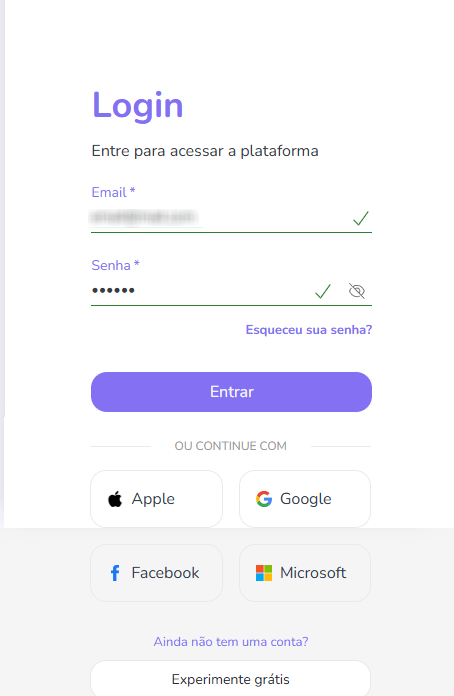
1 - Access the guru admin with your username and password or one of the Authentication Options, select which account user you want to authenticate.
2 - Then, consult the authenticator app to find out which code you should enter on the screen.
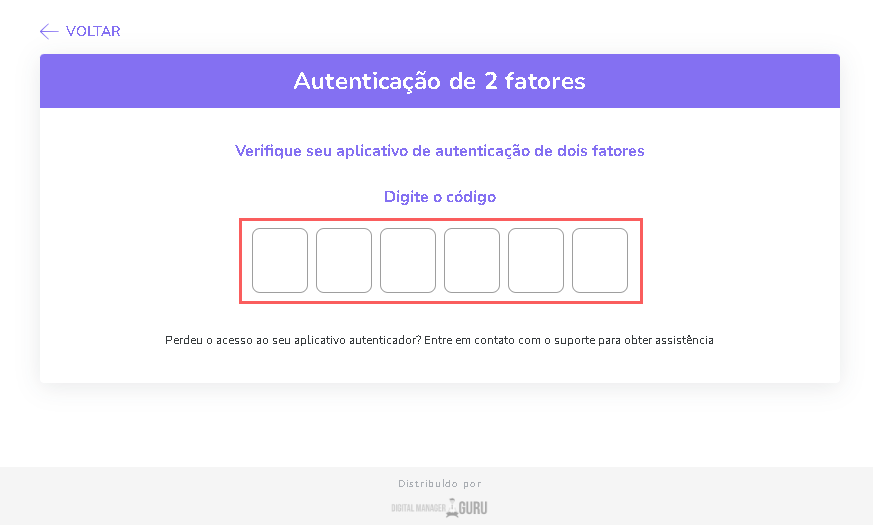
3 - Click on Send.