
With Guru, you can enable login by changing the authentication method, through Apple, Email/Password, Facebook, Google and/or Microsoft user.
With this feature, you can enable other forms of authentication, bringing security to your account and to other users that will be created later.
On this Page:
-
Enable login
Enable login
In this section you can define the ways in which account users can authenticate. Such as Apple, Email/Password, Facebook, Google and Microsoft.
Steps:
1 - Access the guru admin with your username and password.
2 - In the upper right menu, click on My Account.
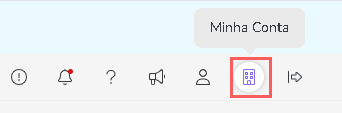
3 - In My Account, click on Security.

4 - In Authentication Options, select which account user you want to authenticate.
-
Apple: allows login only with the Apple Account - in the Guru login the user must select the option "Sign in with Apple";
-
Email/password: allows login only with Email/Password - in the Guru login the user must select the option "Email/Password";
-
Google: allows login only with the Google Account - in the Guru login the user must select the option "Sign in with Google";
-
Facebook: allows login only with the Facebook account - in the Guru login the user must select the option "Sign in with Facebook";
-
Microsoft: allows login only with the Microsoft account - in the Guru login the user must select the option "Sign in with Microsoft".
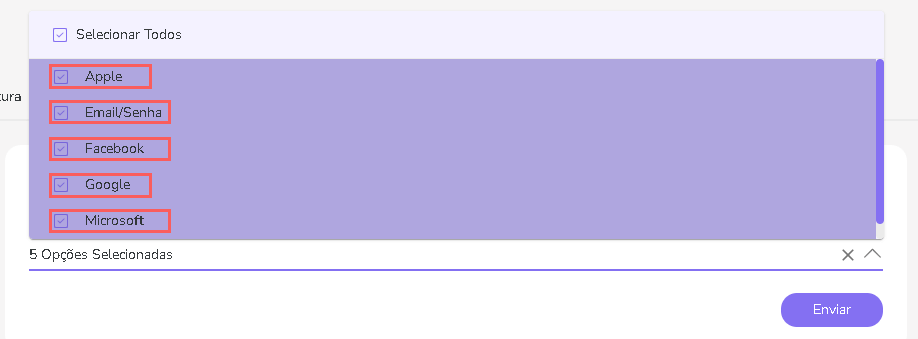
5 - Click on Submit.
More Resources