It is possible to activate or deactivate the generation of tracking and/or checkout links. In addition, you can remove a custom domain if you wish.
On this page:
-
Activate default for tracking or for custom domain checkout
-
Remove Custom Domain
Activate default for tracking or for custom domain checkout
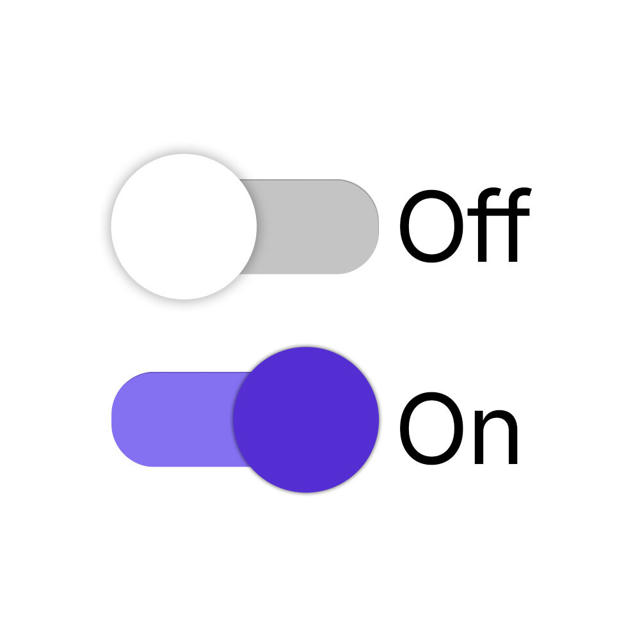
When configuring the custom domain, you can activate a default for Tracking (Sales PPCT, Leads and Checkout) or for Guru Checkout.
Before activating a default for tracking or for checkout, you will need to configure the custom domain.
Steps:
1 - Access the Guru admin with your username and password.
2 - In the side menu, click on Settings, and then click on Custom Domains.
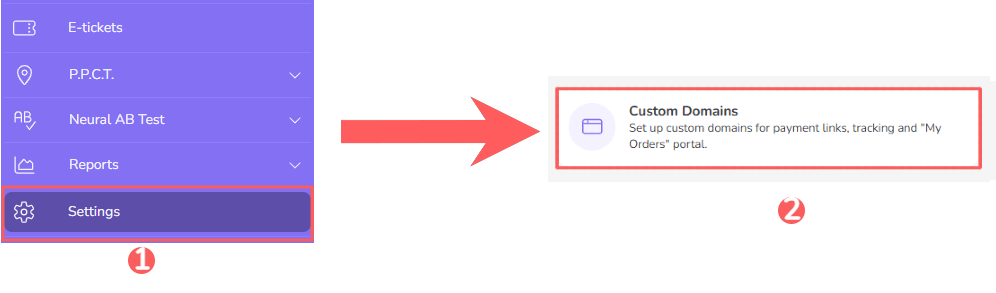
3 - Click on the desired Custom Domain .

4 - Then, in the Custom Domain URL, select:
-
Default for tracking: if you want to generate the RPPC link on a custom domain;
-
Default for Checkout: if you want to generate the checkout link on a custom domain.
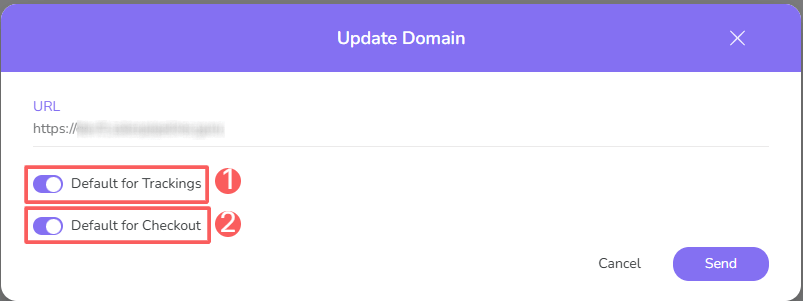
5 - Click on Send.
Remove Custom Domain
it is possible to remove a Custom Domain. When you remove a custom domain, the record is permanently removed and cannot be restored.
Steps:
1 - Access the Guru admin with your username and password.
2 - In the side menu, click on Settings, and then click on Custom Domain.
3 - In the desired Custom Domain, click on Remove Custom Domain.

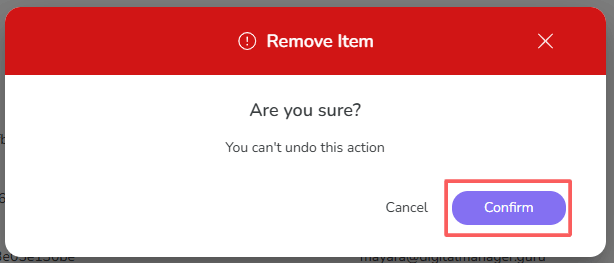
4 - A confirmation window is displayed. If you wish to proceed with the removal, click on Confirm.